The network and IT toolkit for admins who do the work on site. An SSH terminal, switch port maps, server power and hypervisors, backup checks, a password vault and 60+ tools in one fast, native app. With Teams, everyone works from the same inventory.
Every tool is free, with no account to make. Save a switch, server or access point once and every tool that can reach it picks it up. Teams is the one subscription.
Network Diagnostics
Ping, traceroute, Test-NetConnection, nslookup, a port scanner and an HTTP/TLS checker, plus the ones that find odd faults: Path MTU, NTP clock skew and a rogue-DHCP probe. iperf3 and a speed test for throughput.
Remote Access
A real SSH terminal that runs vim, top and tmux, with SFTP and port forwarding. RDP, VNC and Telnet, and a REST client with presets for Redfish, UniFi and Proxmox.
Switches & Topology New in 1.3
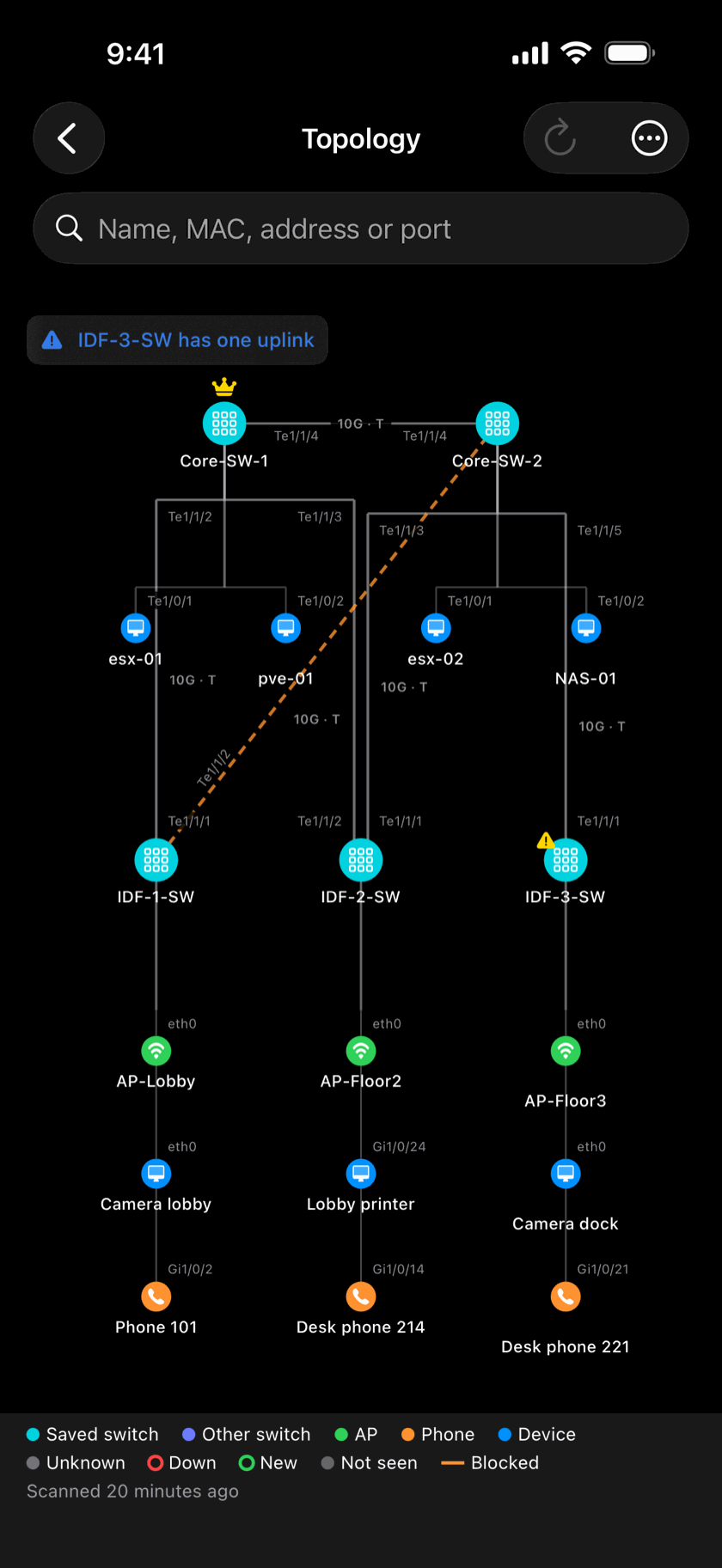
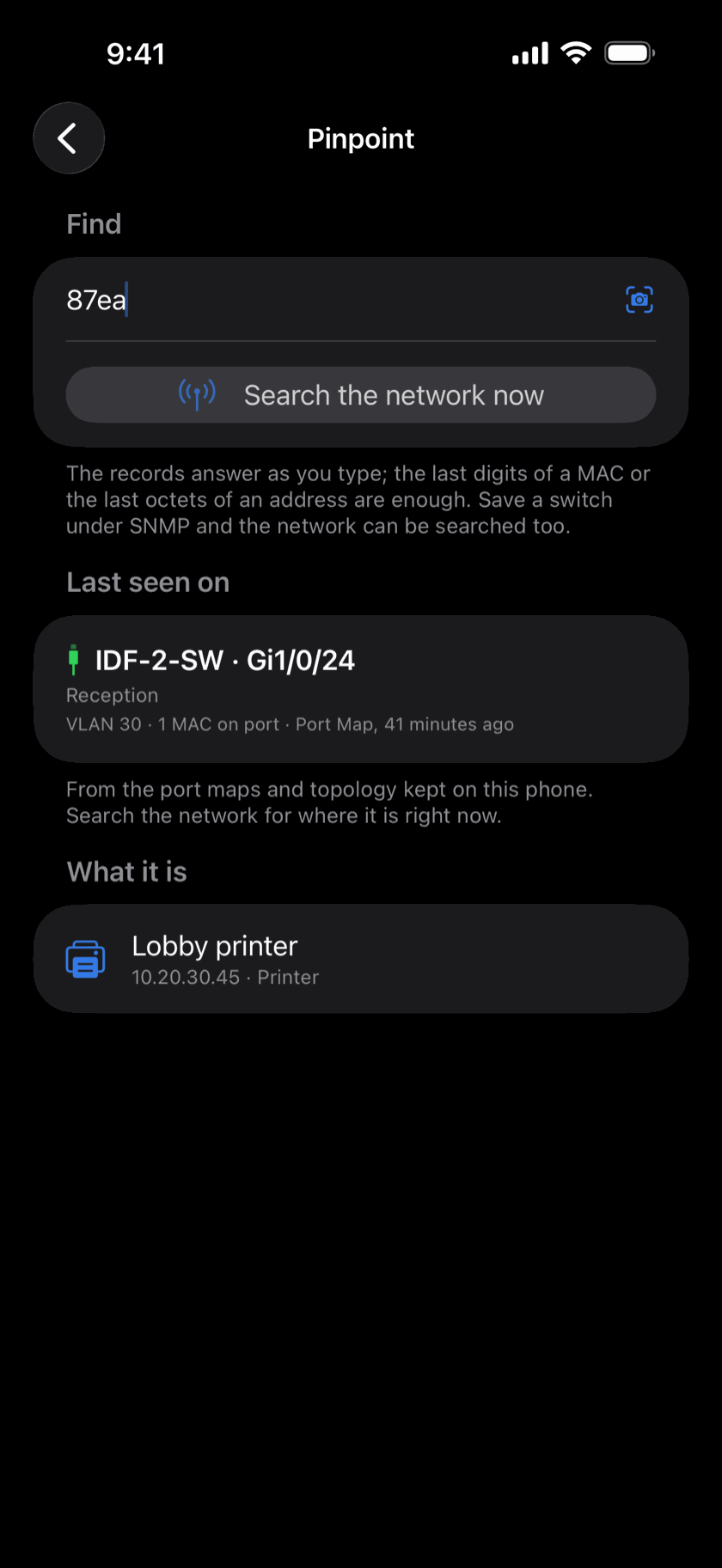
SNMP, and a Port Map that shows what's plugged into every port and can shut a port, cycle PoE or set a label. Topology draws the Layer 2 map from LLDP and CDP, and Pinpoint traces an IP or MAC to its switch port.
Servers & Hypervisors New in 1.3
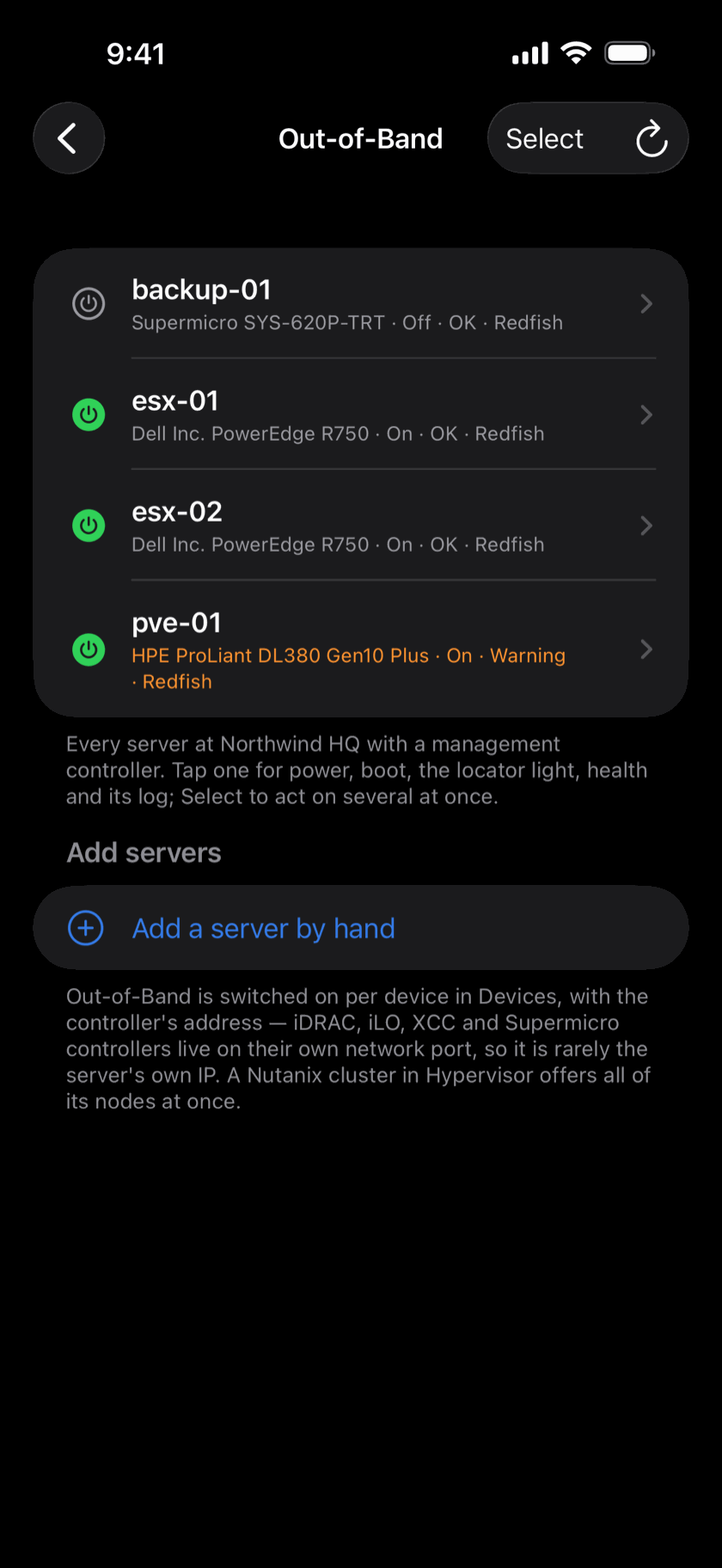
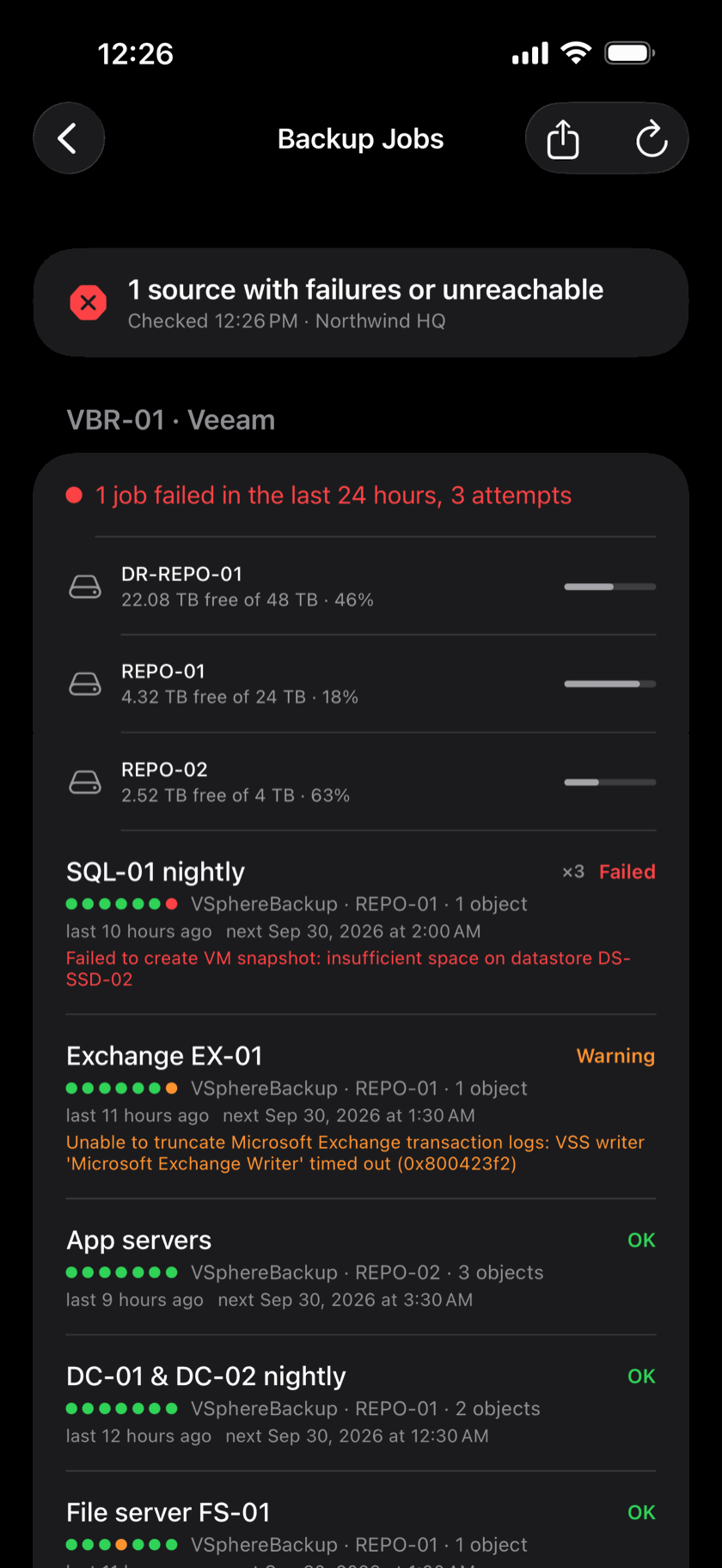
Out-of-Band talks Redfish to iDRAC, iLO and XCC: power, next boot, the locator light, health and the KVM console. Hypervisor manages Proxmox, vSphere and Nutanix guests. Backup Jobs says whether last night's backups ran, from Veeam, Proxmox, Nutanix, Synology, Rubrik and more.
Inventory & IPAM
Sites and devices entered once, an IP manager for every subnet, serials and firmware read over SNMP, and running configs kept with a diff between any two revisions.
Watch & Run at Scale
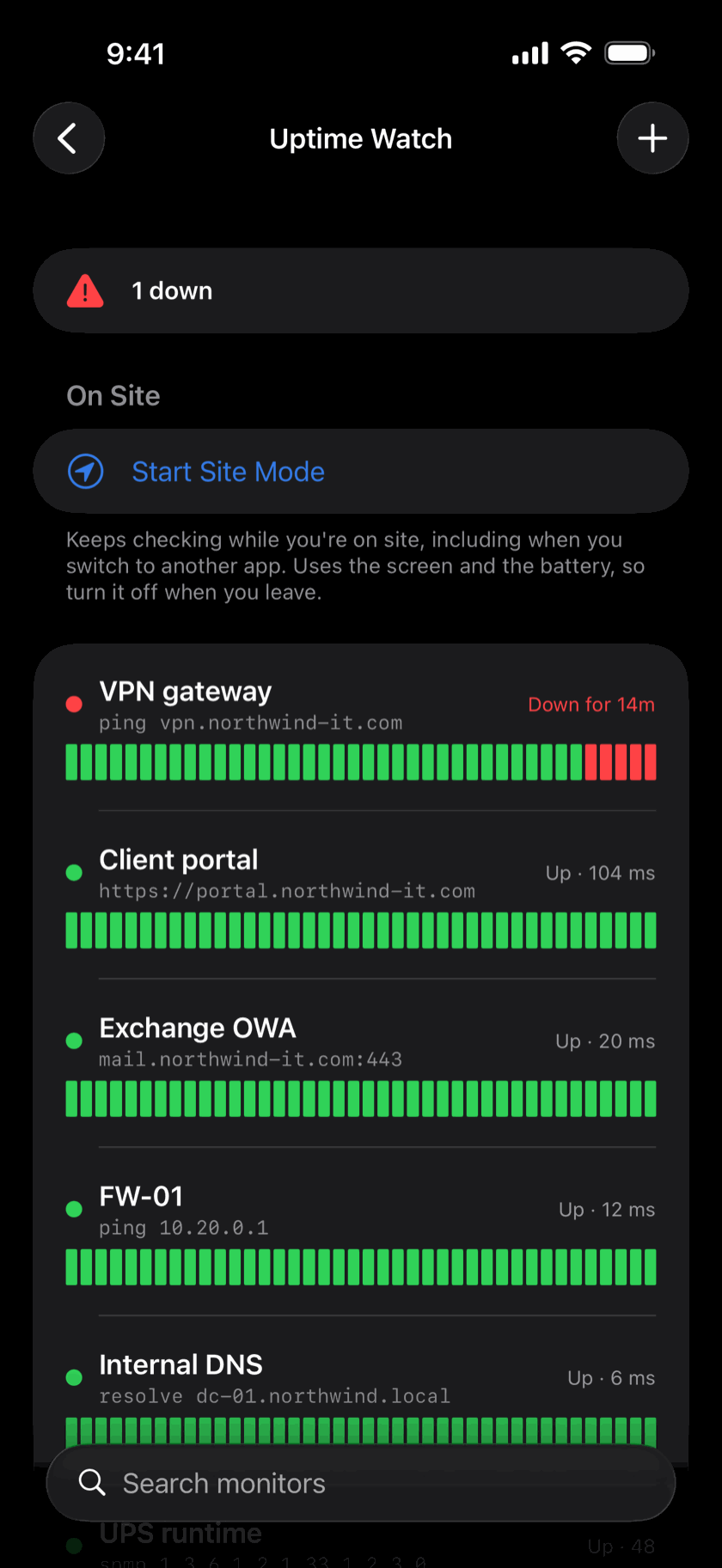
Bulk Run sends one command to many devices and groups the answers. Uptime Watch checks HTTP, TCP, ping, DNS and SNMP values, and Expiry Watch warns before certificates and domains lapse. The phone can also receive syslog and SNMP traps.
Security Checks New in 1.3
Vulnerabilities matches the software your gear reports against known CVEs, exploited ones first, and shows its evidence. Domain Health audits SPF, DKIM, DMARC and DNSSEC. Plus packet-capture, certificate and JWT readers.
Passwords New in 1.3
One vault for logins with one-time codes, Wi-Fi networks you can join from the entry, SSH keys, API tokens, cards and notes. Face ID to reveal or copy. Imports a Bitwarden export.
Files & Photos New in 1.3
The ISP contract and floor plan filed under the site, the manual under the switch, rack photos and clips with them. Scan a page, mark up a PDF, and keep a Personal shelf that never leaves the phone.
Wi-Fi & On Site
Network info, live latency and traffic graphs, link metrics, roaming forensics and LiDAR coverage maps. AR measuring for cable runs, an NFC reader, a sound meter and a Bluetooth scanner.
Directory & Utilities
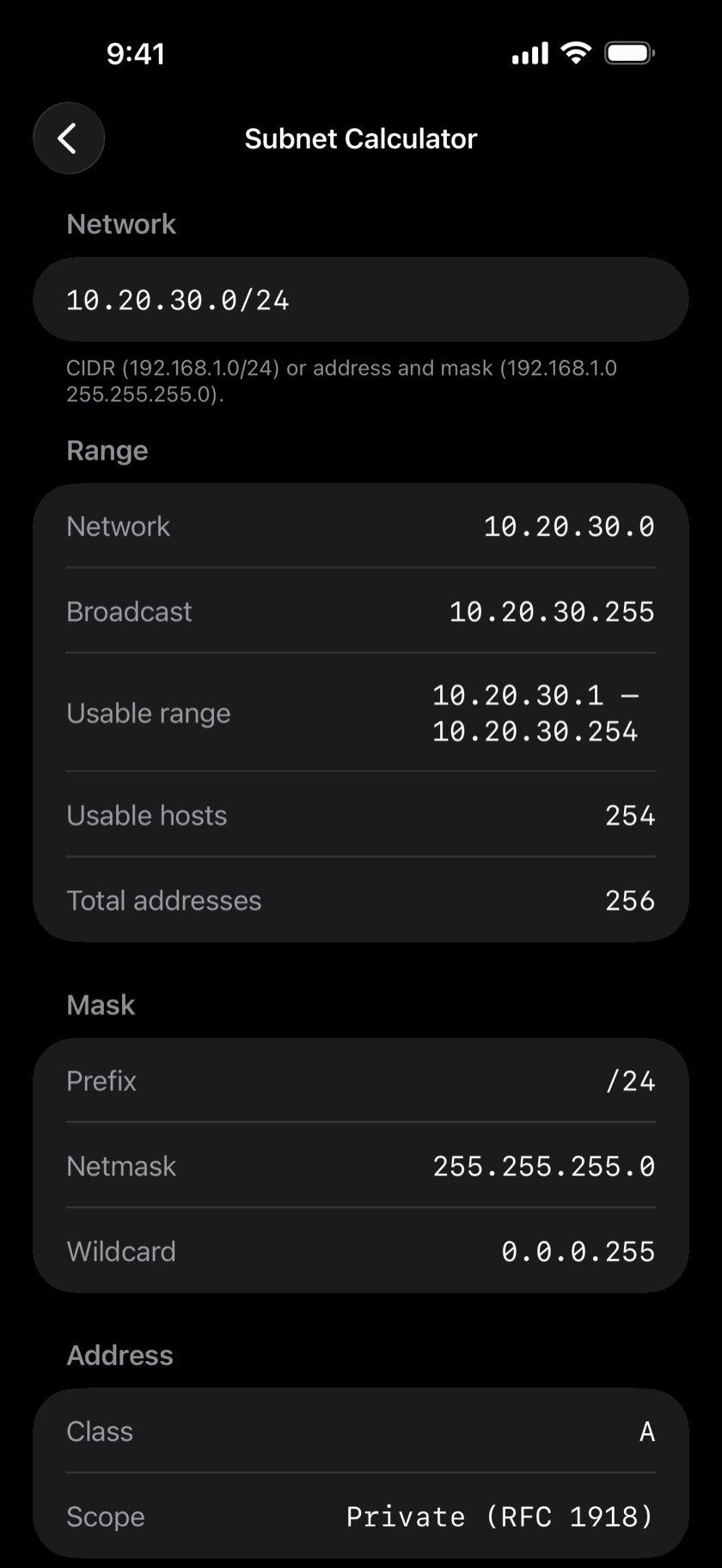
Search, unlock and reset Active Directory accounts through the AD Toolkit backend. A subnet calculator, Base64, URL, epoch and UUID converters, hashes and a QR generator.
Private & Secure
No account and no ads or analytics SDKs. Your data stays on your phone, secrets in the iOS Keychain, and Face ID can lock the whole app. Teams sync through iCloud, never through our servers.
// Teams New in 1.3
One inventory. Everyone on it.
Make a team, file sites under it, and every device, login, file and map at those sites is on the phone of everyone you invite, and stays that way. Add a switch standing in the closet and it's on everyone's phone before you've climbed down. It syncs through Apple's iCloud, with passwords encrypted end to end.
Team Monthly
$9.99 / month
First month free
Team Yearly
$79.99 / year
First month free · save 33%
Joining a team
Free
One subscription covers the whole team, however many people are in it.
✓
The same picture on every phoneSites, devices, IPAM, port maps and topology maps.
✓
Passwords, safely sharedSSH, SNMP, RDP and vault entries travel encrypted end to end.
✓
You decide who changes whatView only, can edit, or admin, set per person.
✓
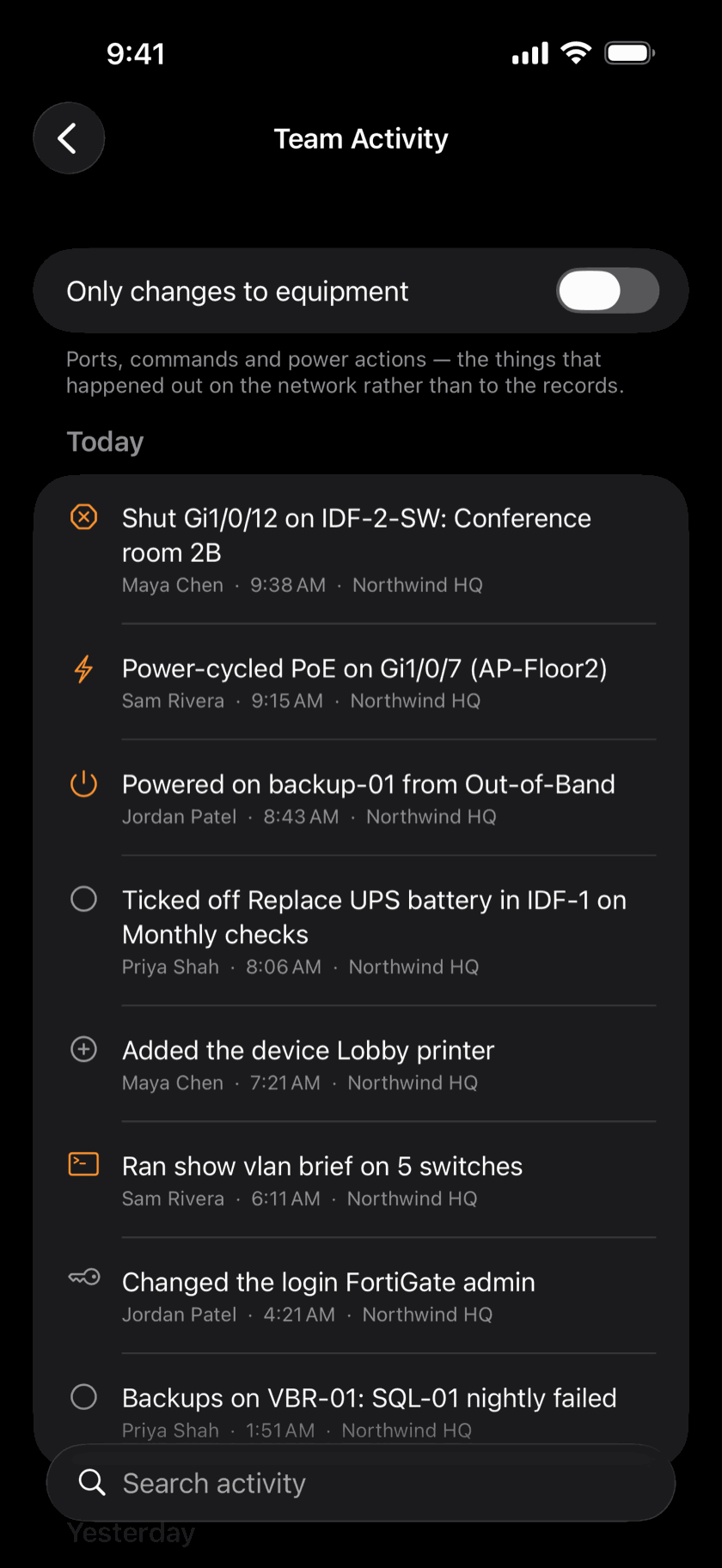
Team ActivityWho changed what, and every port shut or server powered on.
✓
Monitors the team watchesWhoever has the app open runs the checks; everyone hears.
✓
Leaving takes it with themRemove someone and the team's data is deleted from their phone.
Payment is charged to your Apple ID. A subscription renews automatically unless it is cancelled at least 24 hours before the end of the current period; manage or cancel it in your Apple ID settings. Cancel during the free month and you pay nothing. If a subscription ends, the team goes read-only for 30 days and a payment at any point restores it; after that it winds up. Your own sites always stay on your phone. See the Terms of Use and Privacy Policy.
What a team shares
Filing a site under the team is what shares it.
Sites and their devicesAddresses, ports, protocol settings, notes and tags.
Logins the devices usePasswords saved on a device, shared logins, and Passwords entries at a team site, all encrypted end to end.
Files, photos and task listsAnything filed under a team site or one of its devices.
IPAM, port maps and topologyThe team's IP plan, and which port everything is on.
Team monitors, watches and commandsChecks and saved commands filed under the team.
Activity and rolesWho changed what, and who can change what.
What stays on your phone
Whatever teams you're in.
Personal in Passwords and FilesRefused at send time, not merely unshared.
Personal device loginsYour own domain account, even on a team device.
SSH host-key trustEach phone approves a server's key for itself.
Saved configsA running config quotes communities and hashes in plain text.
Anything filed under no teamCommands, monitors, watches and subnets you keep to yourself.
Tool history, favorites and settingsNever synced to anyone.
// Screenshots
See it in action
Everyday toolsThe ones you reach for every day, on any network.
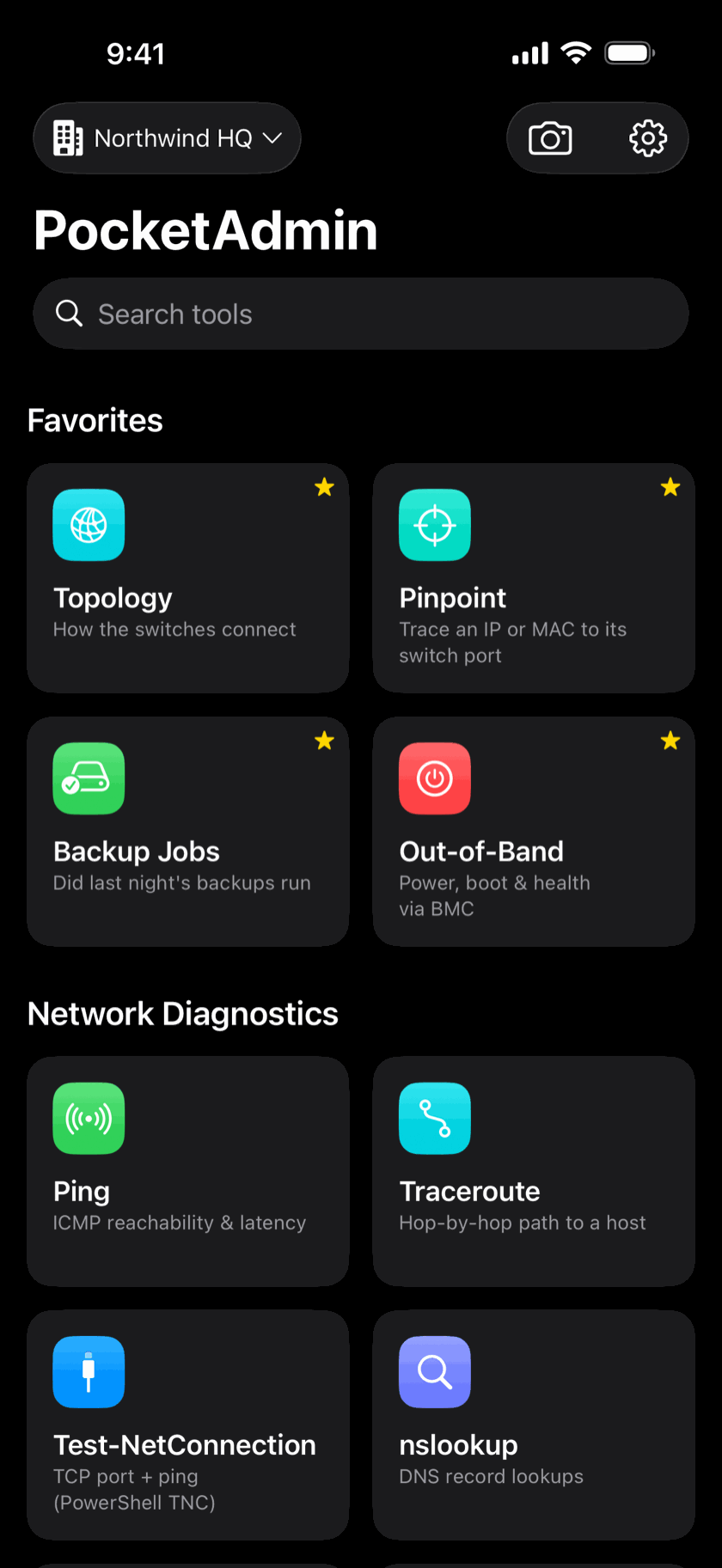
Every tool, one grid
60+ tools in categories, your favorites pinned at the top, and a search that finds any of them.
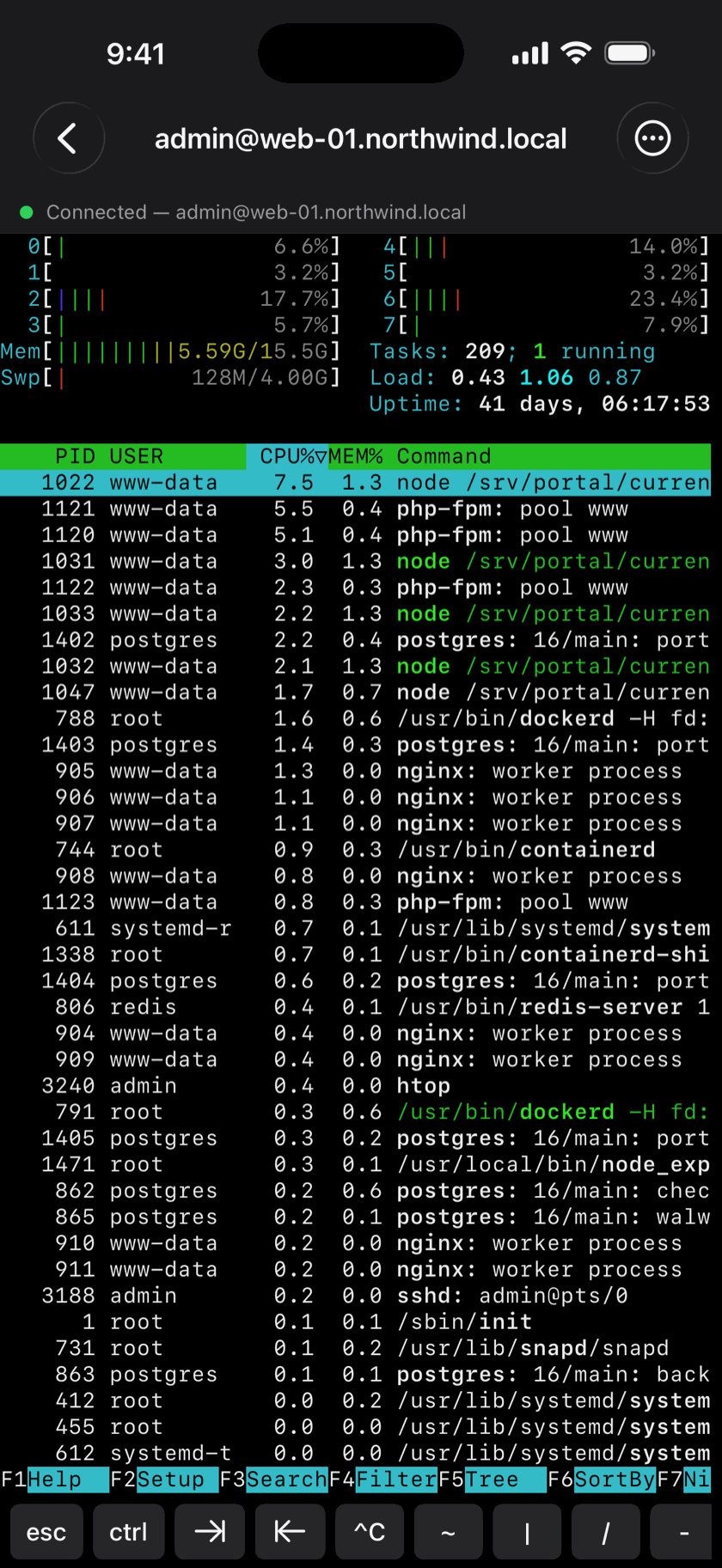
A real terminal
A full SSH terminal that runs vim, htop and tmux, with a key bar for esc, ctrl, tab and pipes.
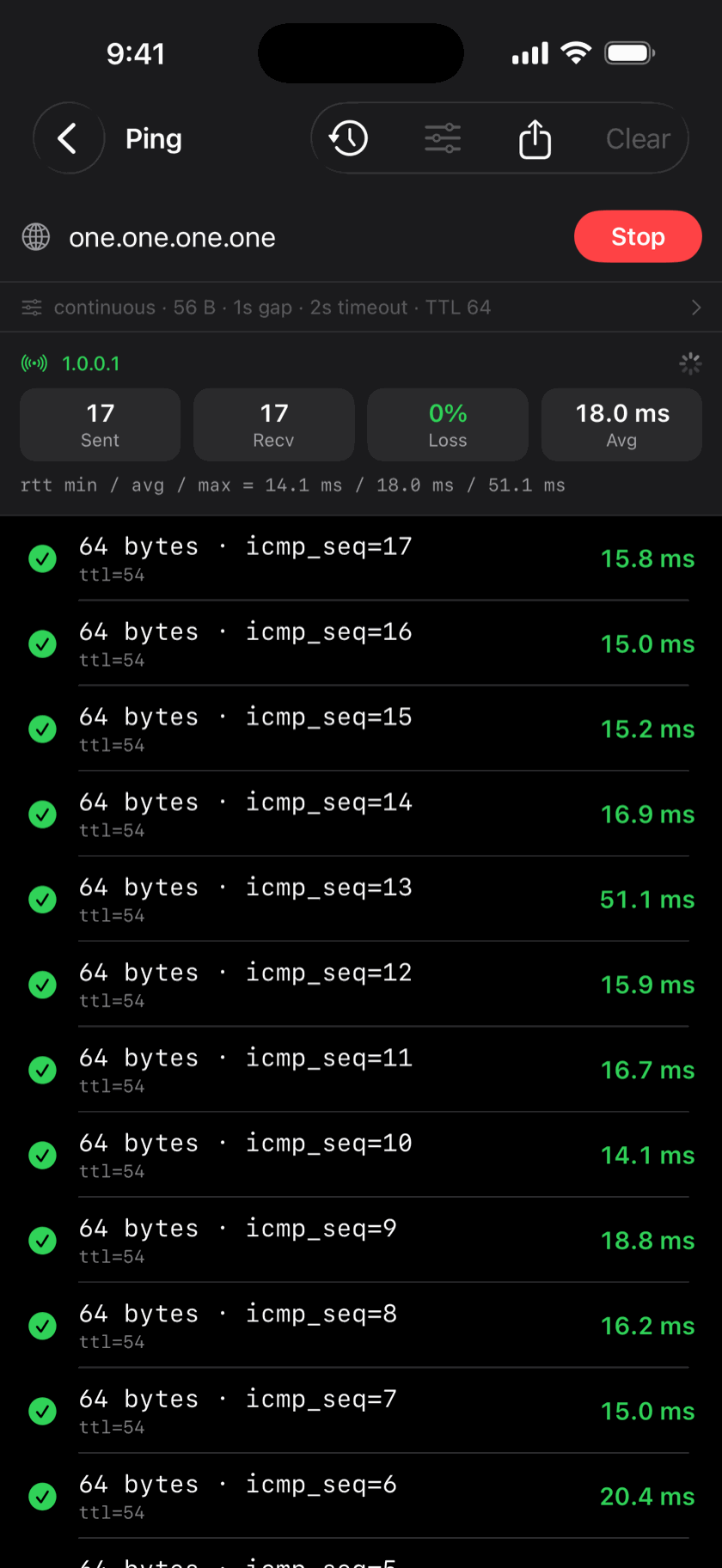
Ping, the way you expect
Live replies with loss, min, average and max, and the packet size, interval and TTL you choose.
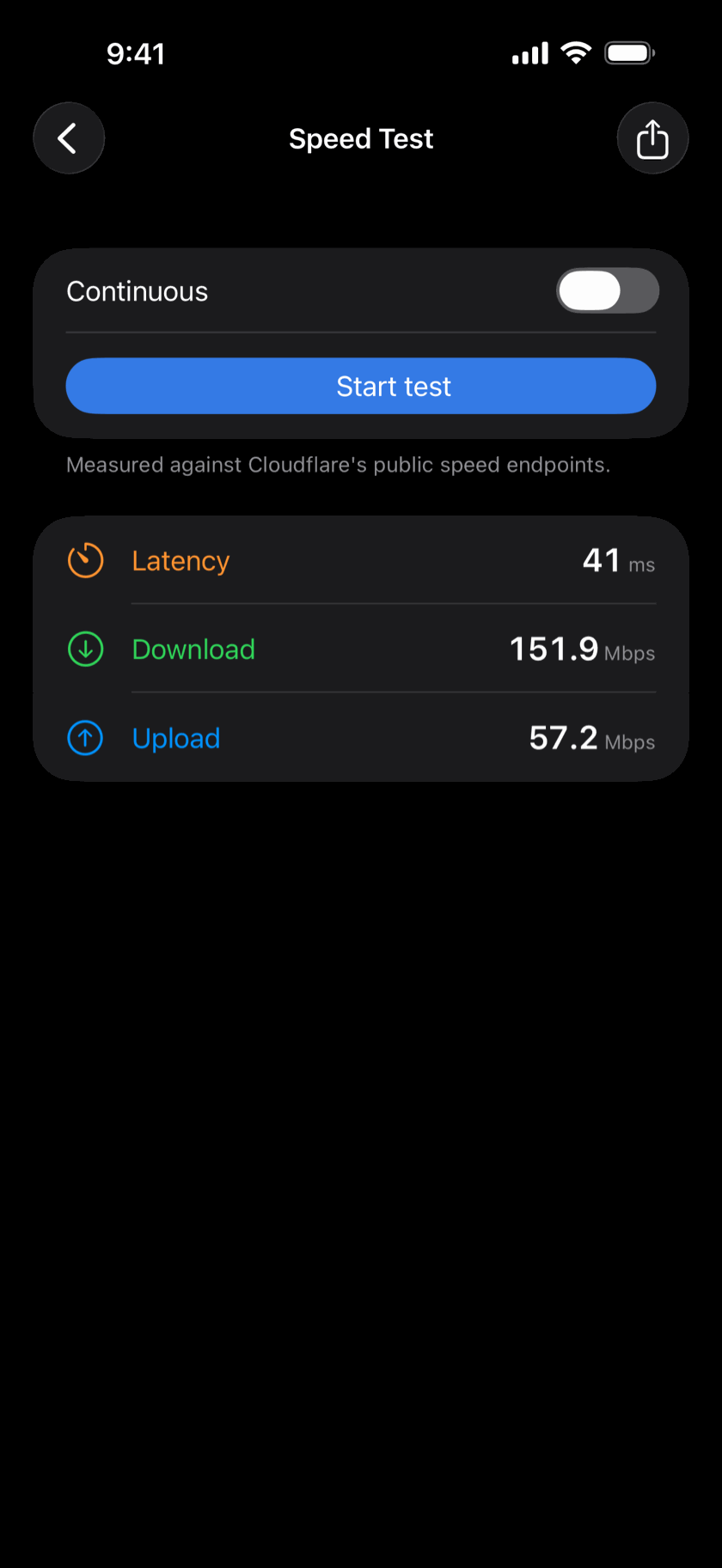
Speed Test
Latency, download and upload in one tap, measured against Cloudflare.
Subnet Calculator
Network, broadcast, usable range, masks and scope for any CIDR. Tap a value to copy it.
Know when something goes down
Watch websites, ports, ping, DNS and SNMP values, with a history bar and an alert when one changes state.
Servers, switches and your teamFor the network you look after.
See how it's all wired
Topology draws your network's map from what the switches report over LLDP and CDP, with ports, link speeds and spanning-tree state.
Find any port in seconds
Type an IP, a hostname or just the last four characters of a MAC, and Pinpoint names the switch port it was last seen on.
Your whole team, in sync
Share sites, devices and passwords with your team through iCloud, and see who changed what in the team's activity history.
Every server, even when it's down
Power, boot and health through iDRAC, iLO and other management controllers.
Did last night's backups run?
Veeam, Proxmox, Nutanix, Synology and more on one screen, and a failed job says why.
// Support
Help and feedback
Email us
Questions, a bug, or a device that won't talk to the app: tell us which tool and what you saw.